Saturday, 31 December 2011

How to Fix common printer problems

If you have a printer, you have to face some technical problems that may have been disturbing all your work. Here are some common printer problems encountered:

- Printer spooler services is not running 

- Issues Paper Jam 
- Power cable issues
- Cartridge does not work 
- Paper roll out of the printer is completely empty 
- Printing results are not marked- Driver failure

About 90 percent of the problems associated with an error printer interface / configuration error and special effects. The possibility of mechanical error is extremely rare.Interface and configuration problems arise if there are problems in the network and you may get an error like, the printer is not found. There are two possible reasons, probably will not get the identification by your operating system or there may be compatibility issues associated with the hardware. Please follow these steps:


1. verify the USB cable is a cross, which is used to connect the printer to your computer. You should replace it if there is damage caused to it.


2. Make sure that your printer is being identified by your computer. From the main Windows menu, select "Printers and Faxes" option and follow the steps to add your USB printer. Even if your printer is not recognized by your computer, then it means your printer software may be damaged. Therefore, you need to download from the original site or from CD.


3. Check with your printer settings to default status.Here are some of the problems that can fix your own.


4. Paper Jam: Usually it happens when more than one sheet of paper stuck in the printer. You can gently lift the cover of your printer and pull them out.


5. Ink problems: Check the ink levels in ink cartridges and refill it.


6. Cartridge blocked, This is the most common mistakes, when head cartridge clogged with dried ink. You can fix it with a simple command like: Control Panel> Printers> Right Click> Properties> Maintenance> Clean Cartridges.


7. Driver failure, you can check your device manager, if there is any conflict associated with that driver will be reflex out warning signs. This shows there is some fault in the printer driver and need to be replaced. You can make clean when installing the drivers. Printers> Right Click> Properties> Update Driver "" style = "background-color: rgb (255, 255, 255);"> Or, you can choose to update your printer driver with the command: "Control Panel> Printers> Right Click > Properties> Update Driver "


Now, you have to understand that most problems can be solved easily at the level of ordinary people without the help of any technical support or technician. However, you can also avail the services of technicians related to some providers of technical support to fix your printer such as printer problems Printer Repair Includes driver installation, the printer network setup, test the printer


Backup And Synchronize Data with DropBox

When you work using a computer, you have to deal with so many files that are the result of your work. Set up multiple files is not easy. For example when you have to edit some files there, then you want to update your database with a few files that you just edit them. Doing this kind of update manually must be very confusing. To be able to synchronize these with ease, you should use a special program.

Dropbox is a program to synchronize files are very simple and elegant. But, this program is not the solution to synchronize files or folders from several different computers. Dropbox synchronizes only on files that exist in one folder. To be able to use Dropbox, you must first register on his official website www.dropbox.com. Then, you must download and install the client program provided. This program will create a folder called "My Dropbox" in your Documents folder. To be able to open the folder, you can click the system icon tray is available.Dropbox does not synchronize files on your computer. This application synchronizes on the cloud servers. So, you should always connect to the internet while using Dropbox. This is very advantageous. You can access all the files in your Dropbox from several different computers, provided that the program Dropbox is installed there. You can also access your files using the web interface provided by Dropbox. Dropbox web interface is very simple and easy to use. If you frequently use Facebook, you will have no difficulty in using it because the Dropbox web interface very similar to Facebook.When you register to be able to use the program Dropbox, you can choose several types of Dropbox. If you choose Dropbox Basic, you'll get 2GB of storage capacity. If you are willing to pay as little as $ 9.95 per month, you can use Dropbox Pro, which provides a storage capacity of 50GB. You do not have to bother to update the program Dropbox, since this program will update itself automatically.


Friday, 30 December 2011

Tips for buying BlackBerry phone

Buying Tips BlackBerry phone is necessary for consumers, because the phone blackberry is a phone that is not a little value to the users mobile phone. Here are tips for those of you who want to buy a BlackBerry:

  • Try BlackBerry phone switch before you buy. See the PIN and IMEI by going to the menu, press options, then status. Or it could stand by the page and press Alt + Shift + H. Match with the PIN and IMEI in the box. If appropriate, turn the HP and see the PIN and IMEI in the battery compartment. Everything must be the same.
  • If there is an internet connection, go to the address of the BlackBerry service (http://xxx.blackberry.com where xxx can we replace the services that we use Telkomsel, Indosat, or xl). Click the register new account. Trying to register on your BlackBerry IMEI and PIN. Will appear several notifications.
  • Your device has not yet been registered with the network. So cheer up, meaning that the IMEI and PIN can be used to enjoy the BlackBerry Internet Service (BIS)
  • The BlackBerry is registered with another provider. Possible IMEI and PIN already registered on the service abroad. Ask a new HP warranty exchange, for fear can not be used anymore.
  • Your account is already registered. Most likely the phone you get is junk or refurbish (JB), avoid stuff like this.
  • Your Account is Suspended. Do not ever purchased. Because the PIN and IMEI have been reported as PIN and IMEI illegal, is lost, the results of Klone, or stolen.
To see whether you buy the BlackBerry is a new item or not, could do with this trick:
  1. Open the BlackBerry menu, select option, then the status.
  2. On this page, type B U Y R on the keyboard. Some additional data will appear.
  3. If the data usage and voice usage is still 0, then certainly it is new stuff. If not 0, make sure the data usage is not up exceeded.
  4. If it is still limited to 2 to 3 kb only, it is still reasonable, the possibility for data unlocker

How to reset BIOS password in Laptop

If users can not access the laptop after it has been turned on, meaning the use of laptops should pass the BIOS passwordBIOS passwords are stored in CMOS memory which resources are maintained by a small battery when the PC is turned off, attached to a particular place or attached to the motherboard. If a user opens this battery, all CMOS information (including the BIOS password) will be lost. Users must re-enter the correct CMOS setup information to use laptops.

There are certain times when the laptop battery is soldered onto the motherboard, making it difficult to be removed. If this happens, usually there is another alternative that is at a place on the motherboard there is a jumper that will clear the BIOS passwordIf you have documentation of your laptop motherboard, then the bias easily locate this jumper. If not, the jumper may be labeled on the motherboard. This jumper is usually standing alone near a small battery. If users can not find the jumper, it is still possible to look at the points where the battery is connected to the motherboard.


If you notice the picture above, it turns out there is 3 feet cmos jumper. In the picture above, if the jumper is placed at position 1, then it is a normal state. If the jumper is opened and placed on CLRTC, then it will erase all data on the BIOS settings
How to Reset the BIOS Password via SoftwareIf the above two ways of resetting a password, what a last resort? We will use the software reset the BIOS password. Most laptop users prefer this last way. Each Laptop stores the BIOS password information somewhere. If a user can access the laptop after it has been booted successfully, the user may be able to view the BIOS password. But the user must know the memory address where the BIOS password is stored and the format in which the BIOS password is stored or has a program to know these things.

 BIOS is a software that can run on a DOS window to clear the BIOS password. This is usually used in the BIOS: IBM, American Megatrends Inc.., Award, and Phoenix. Unfortunately, many laptop users are afraid of a black screen. Please download this software, free existence.
    KeyDisk often used for password reset Toshiba laptop. Please visit the address and read the tutorial.
    CmosPwd can recover some BIOS passwords such as:


  •         ACER / IBM BIOS
  •         AMI BIOS
  •         WinBIOS AMI 2.5
  •         Award 4.5x/4.6x/6.0
  •         Compaq (1992)
  •         Compaq (New version)
  •         IBM (PS / 2, Activa, Thinkpad)
  •         Packard Bell
  •         1.00.09.AC0 Phoenix (1994), a486 1:03, 1:04, 1:10 A03, 1.02.943 rev 4:05, rev 4:06 13/1/1107
  •         Phoenix 4 release 6 (User)
  •         Gateway Solo - Phoenix 4.0 release 6
  •         Toshiba
  •         Zenith AMI


Performance Test: AMD FX-4100 with Intel Core i3 2100

AMD has launched a new processor for AM3 socket. For the mainstream classroom, AMD FX-4100 provides. With 4 cores and the speed of 3.6 GHz frequency, whether newcomers can compete with the Intel Core i3 2100 which is long enough to master this class?

From the specification, it appears that the AMD FX-4100 offers a better potential. Larger cache memory, higher speed and more cores makes the FX-4100 perform better. At least on paper. Meanwhile, Intel Core i3 2100 comes with a lower rate (even without the turbo) and fewer number of cores. However, hyperthread Intel (which makes it capable of running 4 threads) generally can not compete with the real core. In addition, the efficiency of Sandy Bridge architecture should also be taken into account.

The second price is relatively the same processor. Both are in Kisara 1 million dollars. If we look from the side of the platform support, both already have a fairly cheap motherboard support. At a later date, choose the  AMD FX-4100 processor can lead to more investment lightly. As usual, board manufacturers will provide AMD solutions at prices cheaper than the Intel solution. Unfortunately, to date it has not happened.

Testing platform

processor
Intel Core i3 2100
AMD FX-4100


motherboard
Z68A-GD80 MSI
ASUS Crosshair Formula V


memory
Kingston KHX1600C9D381K2/4GX

Graphic Card
NVIDIA GTX 560 ti

Power Supply
Coolermaster Silent Pro Gold 800 Watt


Pilot Use iPad for Flight

Email marketing powered by SimplyCast.com
iPad replace paper flight data charts in order to save millions dollar of  American Airlines flight. Data charts are usually available in printed paper form. But the pilots no longer need to store lots of data of paper weighing up to 16 pounds, because they will soon use the iPad.


American Airlines was running a test program that contains the application iPad aviation charts. Without paper, this airline will be able to save the cost of millions of dollars.
The first iPads testing will be conducted on a flight between Los Angeles and Tokyo and Shanghai. This method has previously been applied to Alaska Air in May.
U.S. aviation administration institutions previously called the iPad as a single class of electronic devices that can be used in aviation pilots. They also have approved the use iPad tablet.
This is contrary to the International Air Transport Association (IATA), which said the existence of any portable electronic device can endanger the flight.


BlackBerry 10, The new OS from BlackBerry

BlackBerry smartphone users? 
Be prepared for the presence of a revolutionary new OS from BlackBerry, BlackBerry 10. This new Operating System should be able to change the view of the outside of the BlackBerry (by some people) is considered as a smartphone for email and fuel alone.

New Base

After a long struggle with the old OS (yes, even for OS7), RIM decided to switch to OS with a new basis, namely the QNX OS. Operating System is already long enough to use on the BlackBerry Playbook. Finally, RIM chose the OS for smartphones in the future development.
Performance: Fast

Yes, the resulting device performance became one of the emphasis has to offer. By developing an OS that makes an application to access the full hardware capabilities and a powerful combination with hardware, this can be obtained. Seeing that the base used is QNX OS, it is very likely to be reached.

Demo capability to do with the BlackBerry Playbook BB10 which uses dual-core processor with a PowerVR GPU do seem very convincing. From the demo that we saw during the BlackBerry DevCon Asia 2011 in Singapore, performing a combination of hardware and the OS does not need to doubt

BlackBerry 10 Flexibility: Easy

From the developers of applications, flexibility must exist, if a platform to gain widespread support. That's why RIM is preparing a variety of ways for application developers to create applications that can be paired with BB10. Starting from the support C, C + +, to the ease of developing web based applications and HTML5 for BB10. Adobe AIR also supported by BlackBerry 10, making developers more easily choose the base application. Uniquely, RIM promises that even the developers who use a web base application that can create beautiful and should be accelerated a native application.

To simplify the developer, RIM also provides a cascade. Simply put, it presents a variety of cascade effects package that can be immediately used by developers when designing applications. Thus, a notepad application could have been made to the effect that waving paper with ease because the developer does not need to design these effects again. This means the display and effects on applications built with the cascade will be beautiful, without burdening the programmer in designing these effects.

Runtime Environment: Abundant Applications

Well, this is one interesting thing. Playbook users may have never known that there is an Android application that can run on the Playbook. This extra benefit will be passed on BB10. So, BB10 will have the Android runtime environment that can run Android applications!

Example screenshot of a small Android application that works seamlessly on BlackBerry Playbook

Of course, there is a requirement for Android application can be run on the deviceBB10. Developers should do their repackaging in GER. This process of "wrapping back" is also facilitated by RIM by providing special tools. In the best conditions, a GER can be converted to run on BB10 within 10-15 minutes. RIM has even said that about 65% -70% of existing Android applications should now be converted easily and quickly.

Yes, GL acceleration in Android game can be run on the BlackBerry Playbook

Despite working in a runtime environment, applications that Android can still access the hardware fully. GL hardware acceleration as can be done easily. This is shown by Gameloft in his presentation to the participants BlackBerry DevCon Asia 2011.

Applications that are not available natively (such as the RSS reader of this gorgeous) for BlackBerry 10, can be obtained by repackaging Android Applications
BlackBerry 10: Revolution of the Brave

With a strong base of UNIX and open source libraries, RIM BlackBerry will soon be presenting a 10. This will be strengthened BlackBerry OS 10 BB 10, BB 10 services, and application platform environments BB 10. This means RIM is doing a very brave revolution. Of course, this is a breath of fresh air. Apparently, we will soon see the BlackBerry device that has the ability and support applications such as those encountered on the Android or even Apple's IOS.


Wednesday, 28 December 2011

Clean shortcut virus in your PC

StickerYou Custom Die-Cut Stickers
Again, the virus makes all the work to be hampered, though not all of the data removes viruses but the name is very annoying. Although virus does not destroy the document even though it still remains by inhibiting the work (process) conducted a computer.One virus that recently quite a hassle that is often called a shortcut virus, this virus does not damage our files, but only hides the original file and then create a new shortcut to the file so that when clicked shortcut we made a virus then the file / folder is not opened because it was not the original shortcut.Once I tried to find a solution how to remove viruses shortcut with the help of google Sanya hosts found some blogs and the web that provide articles how to remove / clean shortcut virus , among other pretty good in my opinion as follows: 

1. Turn off system restore our computer beforehand how to right click on the icon in My Computer, Properties, click the System Restore tab and then give a check mark in Turn Off System Restore on All Drives and click OK

2. Turn off the process of Wscript file located in C: \ Windows \ System32, by using tools such as CProcess, HijackThis or can also use the Task Manager of Windows


3. Once off the process of Wscript, we need to delete or to rename the file so not used for awhile by the virus
For the record, if we are to rename the files with automatic Wscript.exe, it will be copied again in the folder. Therefore, we must find where the file Wscript.exe others, usually in C: \ Windows \ $ NtServicePackUninstall $, C: \ Windows \ ServicePackFiles \ i386.
Unlike other VBS viruses, we can change the Open With from the vbs file into Notepad, the virus that means is berextensi MDB Microsoft Access file. So Wscript database.mdb will run the file as if he is a VBS file

4. Delete the parent file in C: \ Documents and Settings \ \ My Documents \ database.mdb, so that every time the computer starts will not load the file. And do not forget we are also open MSCONFIG, disable the run command.

5. Now we will delete the files autorun.inf. Microsoft.inf and Thumb.db. The trick, click the START button, type CMD, moved to the drive to be cleaned, for example, drive C: \, then we have to do is:
Type C: \ del Microsoft.inf / s, this command will delete microsoft.inf all files in all folders on drive C:. Meanwhile if you want to move the drive to stay just renamed drive example: D: \ del Microsoft.inf / s.
For the autorun.inf file, type C: \ autorun.inf del / s / ah / f, the command will delete the file autorun.inf (syntax / ah / f) is used as the file is taking attrib RSHA, as well as to file Thumb . db also do the same thing

6. To delete the files in addition to 4 files earlier, we must find a way search files with the extension. Lnk size 1 kb. In the 'More advanced options' make sure the option 'Search system folders' and 'Search hidden files and folders' are both checked.
"Please be careful, not all shortcut files / LNK file size of 1 kb is a virus, we can distinguish it from the icon, size and type. For the shortcut icon created viruses are always using the icon 'folder', size 1 kb and type 'shortcut '. While the correct folder should not have' size 'and the type is' File Folder'. "

7. Fix the registry has been altered by the virus. To expedite the process of repair registry copy the script below on the program 'notepad' and save it with the name 'repair.inf'. Execute the following ways:
Right-click repair.infClick Install[Version]Signature = "$ Chicago $"Provider = Vaksincom Oyee
[DefaultInstall]AddReg = UnhookRegKeyDelReg = del
[UnhookRegKey]HKLM, Software \ CLASSES \ batfile \ shell \ open \ command ,,,"""% 1 ""% * "HKLM, Software \ CLASSES \ comfile \ shell \ open \ command ,,,"""% 1 ""% * "HKLM, Software \ CLASSES \ exefile \ shell \ open \ command ,,,"""% 1 ""% * "HKLM, Software \ CLASSES \ piffile \ shell \ open \ command ,,,"""% 1 ""% * "HKLM, Software \ CLASSES \ regfile \ shell \ open \ command,,, "regedit.exe"% 1 ""HKLM, Software \ CLASSES \ scrfile \ shell \ open \ command ,,,"""% 1 ""% * "HKLM, SOFTWARE \ Microsoft \ Windows NT \ CurrentVersion \ Winlogon, Shell, 0, "Explorer.exe"HKLM, SYSTEM \ ControlSet001 \ Control \ safeboot, AlternateShell, 0, "cmd.exe"HKLM, SYSTEM \ ControlSet002 \ Control \ safeboot, AlternateShell, 0, "cmd.exe"
[Del]HKLM, SOFTWARE \ Microsoft \ Windows \ CurrentVersion \ Run, WinupdateHKCU, SOFTWARE \ Microsoft \ Windows \ CurrentVersion \ Run, explorer
Tips on how to clean virus shortcut I get from the following: http://sugengsetyawan.blogspot.com/2009/02/cara-menghilangkan-virus-shortcut-di.html

Various methods to improve the performance of the disk


There are various methods used to improve the performance and capability of the disk. The methods are usually used to improve performance, it will involved many disks as one storage unit. Each block of data is separate into some sub block, and is divided into disks (striping). When there are data transfers, the disks will work in parallel, and increase the transfer speed in reading or writing data. Combined with the rotation synchronization on each disc, then the performance of the disk can be increased. This method is known as RAID - Redundant Array of Independent Disks. Beside that RAID performance problems may also increase the reliability of the disk by using additional disks to store the parity block or as a mirror of the data on the disk.

Usually some computer motherboards already support with raid10. Raid10 using a set of disks with striping at the block level without redundancy. So just do the striping blocks of data into multiple disks. Excess of this level  has already include access to several blocks and can be done in parallel so it can be faster while sending data. However lack of access per block, just like there is no improvement, less reliability in the absence of data backups with redundancy.

Hackers Steal Apple, Microsoft and U.S. Government Data in stratfor website

eSaleRugs.com
Anonymous Hacker group again make a trouble. This time the group claims to have successfully hacked the Stratfor website, the company that has clients such as Apple, Microsoft and a number of important institutions of  the United States government.

Stratfor itself is one company that offers consulting services about the tactical and strategic intelligence, security analyst at a company, and demographic politics in some countries.

It is said that companies from the United States that have very few clients are kept confidential as the U.S. Defense Department, U.S. Army, Air Force, law enforcement agencies, security contractors, and leading technology companies like Apple and Microsoft.

Quoted from AFP on Monday (12.26.2011), Anonymous hacker group claimed to have managed to get thousands of critical data owned by companies that use the services of Stratfor, including Apple and Microsoft.

It was also proved by trying to expose some evidence like a screenshot of the data, as well as special links Stratfor refer to the actual client is strictly confidential.

Ironically, a group of hackers who stuck out his name in the scandal sites 'whistleblower' WikiLeaks says that Stratfor does not encrypt data on its users, allowing you to easily read.

Sony Ericsson Xperia Neo: Cheap Android Smartphone

Competition of smartphone with Android operating system from different brands lately so rife. Moreover, today there are many buyers who are no longer pursuing a smartphone with low specifications. The reason is the number of HD games popping up in the Android Market are available free of charge. This makes all people can have a handheld game with full facilities.


To meet the needs in this market, Sony Ericsson also issued various types of Android smartphones. However, there is one which is quite cheap to own. The device is Sony Ericsson Xperia Neo. Cheap? Yes, for its class, this smartphone is quite cheap. 8-megapixel camera, the screen with Bravia Engine, HDMI, and a variety of Xperia Arc's distinctive feature, available on the  Sony Ericsson Xperia Neo . You can have it only at a price below the 3 million dollars.

This smartphone uses the System on Chip Qualcomm MSM8255 processor with 1 GHz speed and GPU Adreno 205. RAM memory is installed in this smartphone with a capacity of 512 MB. For its internal memory, Sony Ericsson has paired the NAND Flash memory that can be used by the user is 320 MB. For the size of screen, attached screen of 3.7 inches with a resolution of 480 x 854. Used smartphone operating system is Gingerbread with version 2.3.2.  Sony Ericsson Xperia Neo also can be upgrade to Android Ice Cream Sandwich in due course.

Raspberry Pi, The cheap computer for kids only $25

The Best Selling PC Migration Utility.
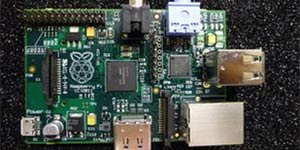
Raspberry Pi, the cheap computer for kids  that have long awaited is finally soon enter the production stage and marketed immediately. This computer has a mission to inspire children to be technology literate.

Computer named Raspberry Pi uses a similar Arm processor found in the phone. Additionally, this computer will operate using the operating system (OS) Linux.


Video game veteran David Braben claimed to have an idea to make Raspberry Pi is currently thinking about how to inspire young people to begin his career in the tech world.

Computer Raspberry Pi test version is already selsesai and was checking stage. For mass production will be conducted in January 2012. "If a satisfactory test version, we will make this computer a large scale in more than one factory," he said.

The computer Raspberry Pi itself will be made ​​two versions, namely model A for U.S. $ 25  with no network connector and Model B for U.S. $ 35  which have an Ethernet socket as quoted by the BBC.

Monday, 26 December 2011

Motherboard Maintenance Tips


The computer today is no longer a need for people dispossessed but rather the basic needs that must exist in particular for all types of business. Sure there are many also who have not used the computer alias computer manuals (engine type) as a tool for typing.

Imagine in the past that have not been so familiar computer, in case of power failure, then the office staff could still work using the makeshift lighting candles because at that time kompunter still rare, compared to today, when the power goes out then all the employees that complete rest because the average in every field of endeavor has been to use computer facilities as a basic working tool, while the computer power required to form an electric current flow in case of power failure so we certainly can not do anything but waited until the electrical re-energized.

This electrical problem could affect the safety of our computer machine tools one of which is the motherboard or mainboard.

The motherboard or mainboard is very important for the smooth process of the data for all components ranging from the processor, memory, data storage media (storage), a component of Input-Output (I / O) cards (cards) stuck on this mainboard.

In order for this mainboard can be longer or durable in usage it is necessary to consider the following quick tips:
  1.     Use the Uninterruptible Power Supply (UPS) and power supply voltage stavolt as a safety so that   no influence on the performance of the mainboard when the voltage changes abruptly. 
  2.     Note the cleanliness of the inside of the particular CPU mainboard, mainboard do the cleaning when soiled using an air compressor or can be by using brush approximately 3 months or as needed. 
  3.     Existing air vents in the casing should not be closed so as to accelerate the exchange of free air into the room Central Processing Unit (CPU) in order to maintain the temperature in the CPU space. 
  4.     Clean slots or konetor that connects the mainboard with the other components of the dust once a month. 
  5.     When cleaning in order to always pay attention to whether or not the bolts that remains in the mainboard, if there is immediate lift from place to avoid a short circuit (shorting). 
  6.     Do not let the computer is not used / not turned on for a long period of time. Try at least 3 times used / turned in a week.
So little tips on caring for the mainboard as well as answers to the questions asked a visitor of this blog to learn computer science.

The Adavantages of Using Linux Hosting

To create a website we should have a hosting server. Perhaps it is still confusing for you to choose between Linux host and Windows Hosting. In website hosting, there are two of the most famous server, ie Linux Hosting and Windows Hosting. It is very important for those who choose best website hosting services, whether it is using the Linux or Windows.

However at the present time, many people know that Linux hosting is far more secure than Windows. Windows also has a sophisticated security actually and always updated, it depends on the company providing the website hosting services whether the company can provide good security for their hosting services or not.

Most all linux OS is open source and free of cost. Perhaps this is one of the advantages why many companies are using Linux as a hosting server because it does not need payment for a license fee. Linux hosting in general is more stable and able to provide qualified performance when compared with windows operating system which is needed to handle many processes at the same time.

If you want to use SSH or Telnet access, just like you want to access files directly from the server without transferring it to local storage, certainly it will gives an advantage over linux. Windows hosting server often waste precious time from its users because the downtime is longer than linux. Beside that window needs more resources (hardware) which are more likely to initiate a process, this means that when doing a window reboot it generally will take a longer time.

How to use Android phone for VOIP calls

Voice over Internet Protocol (VoIP) technology is capable of passing traffic voice, video and data in the form of packets over an IP network. Its own IP network is a data communications network based packet switch, so we can call by using an IP network or Internet. Calling by VoIP brings a lot of advantages, among them are clearly cheaper than traditional phone rates, because IP networks are global. So International calls cost can be reduced by 70%. In addition, maintenance costs can be pressed for separate voice and data network, so the IP Phone can be added, moved and changed. This is because VoIP can be installed in any Ethernet and IP address, unlike traditional phone that must have its own port in the Central or PBX.

The benefits of VOIPS are strongly felt at both locations which are connected by a considerable distance (inter-city, inter-island or abroad), the two sides just enough to pay for Internet access only, which usually must be cheaper than the cost of long-distance or the international calls using traditional phone. Since the media used is the Internet network so long as we connect to the internet then we can easily communicate without having to worry about the cost of communication that we do.

To use VoIP you can not directly use it without any assistance program or SIP Client software and registering to sites which provides a place for registration to get a VoIP number as identifier. for the use of software, has a lot of software that can be used to run VoIP.

The development of communication using VoIP technology has undergone a change, especially from the supporting device being used. Form of equipment used has evolved and not only in the form of interconnected computers only. For the moment the equipment that support VoIP, IP Phone and android phone which is equipped with android dialer so we call via VOIP from our android phone. IP Phone is a phone device that can be connected to the internet and without using a PC for the connection again.

Adding Password on Shared Folder Document


For those of us who frequently interact with computer networks, may be often heard and used the names sharing folders in Windows. If using Windows XP to share folders or files, by default operating system (OS) will not provide a password when you access it via another computer. This becomes a little dangerous when you want to share important documents that actually only be known by some person of interest only.
To overcome these problems, Windows has provided operating system (OS) itself which gives flexibility to the administrator to manage the network, including providing security on any folder in windows server that is shared. However, it is also not the best solution if only for the purposes of a temporary or immediate need.


 To provide a password in Windows XP folder sharing, follow these steps:
  1.     Login as Administrator Windows XP
  2.     Click Start -> Control Panel -> User Accounts
  3.     Click the Guest account and make sure the Guest user becomes active (On)
  4.     Close the User Accounts window
  5.     Open Command Prompt by clicking Start -> Run, type CMD and then press the Enter key
  6.     At the Command Prompt, type net user guest password and press the Enter key
  7.     Go back and give the user account password on the user guest
  8.     Enter the password that you want and then restart the computer
  9.     Once finished restart the computer, try sharing a folder on the computer before
  10.     Open the folder that was shared by another computer. If no errors, then when we access it from another computer, the system will prompt to enter a password to access the folder
It's finished, we are sharing a folder that is protected with a password. Users who do not know the password we set earlier will not be able to read files or folders that you have previously sharing.

Download Microsoft OneNote for iPad

PagePlus Essentials
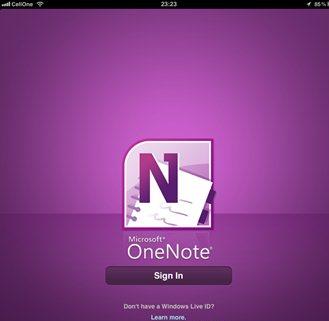
Microsoft has released one popular note-taking, OneNote for iPad. This application was previously available for the iPhone and has now been released for the iPad. The best feature of OneNote is an application that you can make search records with text, images, and bullets. You can create and manage to-do list with checkboxes. Then save your notes in sync using Microsoft's SkyDrive online storage for free to access, edit and manage them from anywhere, from any PC or almost any web browser.

For Oneote iPad Download Microsoft OneNote for iPad you can access, create and edit up to 500 records. Once you reach this limit you can still view, delete, and synchronize your notes. To add another note, you need to upgrade your account.

For Oneote iPad UI Download Microsoft OneNote to iPad. You can upgrade your account using the application in the purchase are available in the settings. You can create notes and lists, share via email, attach photos to notes, and sync all with Skydrive account.

For Oneote iPad UI Download Microsoft OneNote for iPad iPadOneNote for one form of record which is of course better to take the tools and features synchronization with your online account and make it very useful for editing a record even of desktop or browser.
Download OneNote for iPad: http://itunes.apple.com/us/app/microsoft-onenote/id410395246?mt=8

Useful Tips for Designing Your New Blog

Free shipping on your order.
If you are a new blogger or a seasoned blogger just looking to do some remodeling, there are certain things you should keep in mind when it comes to blog design.
Sometimes the things that you want to see on your blog and the things that your readers want to see in your blog are completely at odds with each other. So what is a blogger to do?
The following top blog design tips are designed to help you as you get your start as a new blogger or as you revamp your existing set up.
These tips are focused on helping you stay focused as you build your blog, keeping in mind what is best for both you and your reader. The following pieces of advice aren’t everything to remember, but they are a good springboard to your new blog.

1.) Simple is often better. A complicated interface may look cool or even be cutting edge, but to many buttons and dropdowns may make it too hard for your readers to get to the content they want. If visitors don’t find what they are looking for, they won’t keep coming back.

2.) Readability is a must. Blogs are meant to be read, and if your blog design keeps that from happening, you have got something seriously wrong. Be sure that the colors are easy on the eyes, and that the text doesn’t blend into the background.
If you blog is unreadable or headache reducing your readership will plummet if you redecorated, and if you are a new blogger, you won’t get off the ground.

3.) Don’t over monetize. A new blogger often starts blogging because they want to make some money, and one of the ways you make cash is through ads. Ads can be a major problem for your blog design, however, as readers definitely dislike them. The more ads you have, the less happy your readers will be.

4.) Don’t get a big header. No matter how great your blog logo is, you should do whatever you can to keep your header on the small side. As you work on your design, do what you can to make sure the header isn’t so large that it pushes your content down and out your reader’s browser windows. If someone visits your site and thinks it is nothing but logo, how long do you think they will hang around?

5.) Be unique. A new blogger may not be ready to take the plunge yet, but a successful blog needs a unique set up. The templates from places like WordPress or Blogger aren’t bad when you are starting out, but if you want to take your blog to the next level, your blog design needs to take the first step. Pay out a bit of money for a special pre-made template or for a custom design.

6.) Be reachable. As you decorate your blog, don’t forget to give readers a way to get in touch with you. A contact form or email link can be more than enough. If you don’t incorporate this into your blog design, you may miss out on professional praise, an opportunity for a paid guest post or even a book deal.

7.) Get feedback. Find out what others think of your new blog design. Sure, it is your blog, but getting input from family, friends and colleagues can be a big help. If there is problem with your design, it is better to have these folks see it and point it out before your readers see the flaw and start letting you know all about what is wrong with your blog and why they won’t be back – via email, blog comments and social media sites.