Wednesday, 18 January 2012

Asus UX31 ultrabook

 At the end of 2011, class Ultrabook increasingly crowded course. How not, when we begin to find a variety of top brands that offer ultrabook with various shapes and designs are very attractive. One of the products that come to enliven Ultrabook this class is the Asus UX31 series that uses the screen 13.3 "with a maximum resolution of 1600 × 900. Asus actually has another Ultrabook series with a smaller screen.
Asus UX31 has a very attractive form by using a casing made of aluminum that is black to ash-gray. Therefore go into the class of Ultrabook,  Asus UX31 has a very slim form. For weight, you will not feel overwhelmed when they bring this Ultrabook because its weight is only 1.414kg (without charger). This makes the Asus UX31 can be a wonderful companion on the trip.

Before discussing further, you'll want to look at the specifications on the Asus UX31 installed this.
Specifications Notebook Asus UX31

  •     Intel Core i5 Processor 2557M 1.7GHz 3MB L3 Cache
  •     Chipset Intel QS67
  •     4GB DDR3 Memory
  •     SSD + 128GB SATA controller SandForce
  •     Intel GMA 3000 Graphics
  •     Screen 13.3 "1600 × 900
  •     Interconnection 802.11bgn wifi and Bluetooth V4.0
  •     USB 2.0 ports, USB 3.0, micro HDMI, Audio In / out, VGA Mini
  •     Webcam
  •     Card reader
  •     Power Battery 5800mAh
  •     Size (mm) 32.5 x 22.3 x 0.3 ~ 1.7
  •     Weight (kg) 1414
  •     + Charger Weight (kg) 1593

Specifications are carried by Ultrabook is very special. One was seen in storage systems that use a 128GB SSD with SandForce controller. Controller is indeed proven to be superior than ordinary controller that makes the process of reading and writing into a SSDs be faster. The boot process of Windows 7 to be very fast thanks to the use of this SSD. To open an application is installed on the SSD also became very quickly thanks to the use of SSD. In addition to reading and writing process faster, SSD is also resistant to vibration to minimize damage if shocks storage when traveling carry.

Talking about the display, this notebook uses a glossy screen to be a bit annoying if you use it outside the room with a blazing sun. The screen will capture the shadows around you. However, you can minimize this by raising the level of brightness. Viewing angle is also quite good because the screen does not change the color of excessive degradation when viewed from the left and right. Degradation of the display will change color when you see it from above.

iPad 3 will be launched on March 2012

Can not wait to see the next generation Apple tablet device, iPad 3? If yes is the answer, be patient a little longer. According to reports circulating in cyberspace, the iPad 3 will be launched on March 2012!


Still from the same source, the iPad 3 will come with a variety of development compared with the second generation iPad. Among these is the increase of screen resolution (iPad 3 will use the HD screen), the processor is much faster than the iPad 3, and using network technology LTE.


The company manufactures components iPad scattered in several parts of Asia also reportedly have ramped up production of these devices. Reportedly, the iPad 3 will be completed later produced in February.


As mentioned above, the iPad 3 will use a faster processor than the iPad 2. Reportedly, the iPad 3 will use a quad-core processors.


iPad debuted in 2010 ago. Since its launch, the iPad has become Apple's second-largest income, after the iPhone. Until now, there have been 40 million iPad sold, either first generation or second generation. In total, Apple is getting USD25.3 billion from the sale of these products.

Sunday, 8 January 2012

Samsung Galaxy Ace Plus


You remember the Samsung Galaxy Ace Android smartphone, is not it? The first generation of smartphones that use 800 MHz processor had a chance to make a scene Indonesian market because the price is quite affordable. Tuesday (3 / 1) and then, Samsung announced that smartphones this one already has a successor.

The new smartphone has the name Samsung Galaxy Ace Plus. Of course, Samsung had to upgrade some components installed so it will be faster than the previous Ace Galaxy. Even so, there is one thing that remains the same at  Samsung Galaxy Ace Plus , which is 340 x 480 resolution which is still maintained.

This smartphone will use a processor speed of 1 GHz. Internal memory also will swell to 3 GB with 512 MB of RAM. For the camera, the Samsung installed a camera with a resolution of 5 megapixel jepretannya results can be viewed on the screen of 3.65 inches. The good, the Southeast Asian region including one designated by Samsung in marketing Galaxy Ace Plus.

ICAM: Changing iPhone 5 into Digital Camera

One advantage of the iPhone 4S is currently located in the 8-megapixel camera equipped with autofocus function and LED lamps. How about a camera that will be used in the iPhone 5 later? Whether to use the same camera resolution?

Any high-resolution camera that will be used in iPhones 5, there is one accessory that is expected to transform the smartphone into a digital camera with a lens that can be replaced. The concept of these accessories come from ARD Studios ICAM calling their products. By pairing the iPhone into the ICAM, consumers can enjoy the style of photo shoot-style micro four thirds camera via their smartphones.

ICAM has a unibody design and wrapped with aluminum which ensures the robustness of his body. These accessories are equipped with iMount system to support a wide range of lenses to be used with the iPhone. To approach the specification of a digital camera, ARD Studios buried sensor camera with a resolution of 10.1 megapixels, HD video recording capabilities speed 60fps, motion sensors, UHS-i SD slot for memory, LED lights, a small touch screen and projector at the front, and ISO range from 100 to 6400 equivalent.

With all the capabilities of the ICAM, is it possible for iPhone users would leave the overall digital camera for capturing still images or video needs? Will digital cameras, both compact cameras and digital SLR will have fierce competition from similar products?

Saturday, 7 January 2012

Top 5 Tips for Mobile Application Development

Free shipping on your order.
Mobile phone application market is growing at a tremendous rate. Android and iOS have millions of applications in their mobile application market place. And with the success of Windows Phone platform, the mobile phone application market is expected to continue growing with applications suiting each and every need of yours. So if you are pondering on developing an application for mobiles then here are a few tips that we think you should go through.

1. Do not hog Memory and CPU
Most of the smart phones available in the market today come with around 512MB or 1GB RAM and around 1 GHz processors. Some of the new smart phones also encompass dual core processors. These handsets perform like a pro. However excessive usage of CPU drains the battery quickly thereby requiring frequent recharging. Apart from high CPU usage make sure your application does not hog memory as this can
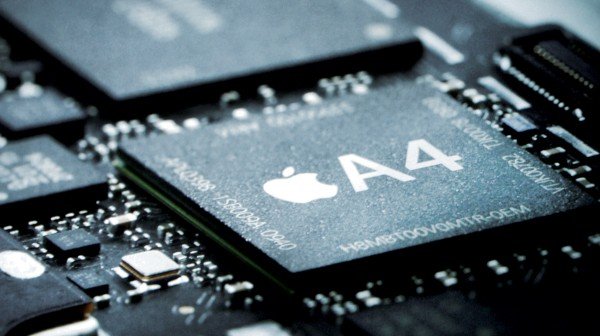
a4 full e1323272518455 Top 5 Tips for Mobile Application Development

2. Prevent Unnecessary Network usage

Sending the right amount of information at the right time is key in applications that are constantly connected to some remote backend server. If your mobile phone application needs to constantly retrieve and/or update a server make sure you send just the necessary information at the right time. This leads to precise network usage avoiding unnecessary network traffic. Being aware of network restrictions helps a lot.
Tower Image e1323274620154 Top 5 Tips for Mobile Application Development

3.Develop for Multiple Platforms

Developing your application for multiple platforms helps you reach out to a large customer base. It also helps in lowering your applications’ selling price thereby increasing the chances of a customer purchasing your application. Do note that developing an application for multiple platforms is a time-consuming task and you might miss on some of the features available in a particular device or platform.

MobileEdition.001 e1323272735989 Top 5 Tips for Mobile Application Development

4. Consistency Is The Key To a Uniform User Experience

Try as far as possible to keep the look and feel of your mobile phone application the same on different platforms. Indeed this is a difficult task but if succeeded then it gives a good user experience.
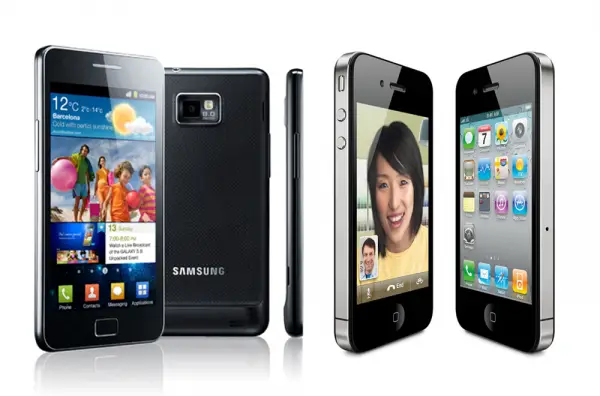
Samsung Galaxy s2 vs iphone4 e1323272939961 Top 5 Tips for Mobile Application Development

5.Get Registered and Certified

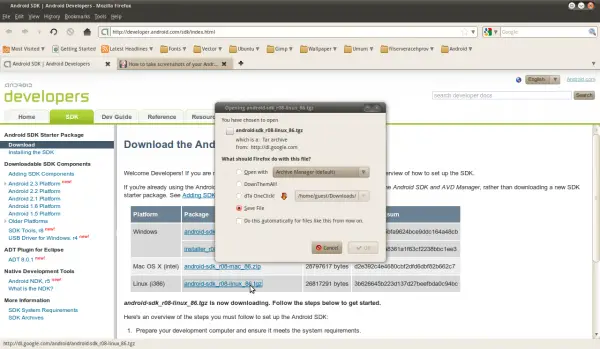
Getting yourself registered to the application developer community as this has many benefits. Firstly the publisher ensures that you get paid for you application. Secondly you get access to their Software Development Kits. Also ensure that you get your application certified from the publisher. Certified applications are more likely to be downloaded by users as they give the feel of authenticity.

Android SDK Android Developers Mozilla Firefox 017 e1323272997714 Top 5 Tips for Mobile Application Development

Thursday, 5 January 2012

Trick how to know email sender IP address

When you read the email may only visible date information, to, cc, bcc, subject and message. Yet every email sent must include complete information such as message id, mailer, ip addresses, and so on.

If you want to know the ip address and isp email sender which is used you can read the following tips.

Yahoo Mail:
  1. Login to Yahoo Mail.
  2. Choose one of the emails that you want to check.
  3. Click on the menu or Full Header link located in the lower right.
  4. Locate the "Received: from [...] by".
  5. In the example below the IP addresses is 61.94.152.147.

MS Outlook Express:
  1. Open the Outlook Express program.
  2. Right click on one of the emails that you want to check.
  3. Click the Properties menu.
  4. Click the Details tab.

If you've got the ip address further information you can check the ISP that is used along with his city.

The importance of Security in the web Hosting

Are you confused in choosing the right hosting provider? There are hundreds of hosting providers in the world that offers various services that vary the type and quality. Approximately which one should you choose? What factors should you consider? One of the important thing that you should consider in choosing website provider is the Security.

The more important your website or online company, the more importance is the stability and uptime. There are several things that influence the stability / uptime, ie machines, networking, and security software such as the configuration used by computers and computer are generally not charged any more than 200-300 account so as not to burden the access. Security server must also be considered because the server which is often hacked will be frequently down even frequent loss of data, something very disturbing in the operation of the server. Spammer or fraudulent users who try to destroy the security, or install software that also must be considered suspicious. This is because the servers that send spam will tend to be blacklisted by other servers, it will cause the other accounts on the same machine disturbed the email. Likewise, software that is suspicious sometimes consumes the resource CPU / memory.
Security in the network or webhosts server must be powerful. We cannot deny that security is one of the most important things in business and also in the Internet. At this time there is no one perfect technology which is able to withstand the attacks of this hacker. How can we minimize the possibility of this attack? The easy way is to ask whether the webhost provider is providing a person who is experts in the field of network security. Usually what we want is how they monitor the activity on the network for 24 hours that can detect fraudulent and unusual activity before the activity become worst that can endanger our website.

Wednesday, 4 January 2012

How to improve Blackberry performance


Blackberry performance for some quarters have become indispensable in life. For businessmen, they take advantage of this smartphone to support the business as to edit the document, to relate to clients. But like computers, are increasingly being used, the longer the performance / performance of blackberries will decrease.Blackberry performance degradation can be caused by depletion of memory space in RAM atauoun in Storage. To improve the performance of your Blackberry again, this blog writing tips - How to Increase Capabilities Blackberry, along with the things that affect the performance of the Blackberry.

Here are Tips - How to Increase Blackberry performance: 

Remove Applications not Used

Sometimes Blackberry users often download / install the application from AppWorld but rarely used. Often unused applications that are not in the uninstall. Well here's the applications that eat up memory space allocated for the application, and will affect the performance of the Blackberry. Therefore you should be more selective in the application install and remove applications that are rarely used alone to give a more spacious place in the memory space. This could improve the performance of your Blackberry with a significant, 

Remove from the Past Appointment Calendar 

Blackberry's calendar feature to keep track of Appointment. Despite consuming less memory, but if you frequently use and are not removed, then the longer it will certainly also affect the performance of your Blackberry. The solution, remove all old unused Appointment. Or setting the calendar feature to remove Appointment after 15 days. The trick, click Options-> General Options, then select keep appointmen and set it to 15 days. Your appointment will then be automatically deleted after 15 days. 

Delete Old Messages 

Just like the Appointment, this message will also affect the performance of blackberries if accumulate so much. The solution is to delete old messages or unused. Or setting of message storage time to 15 days. Menu-> Options-> General Options-> change Day to keep messages to 15 days

 Congenital Clear Video Samples 

Usually the sample videos are always included in the Blackberry to test the video player. Because the quality is good, this video course takes no small amount of memory. You better delete this sample video course to deliver more relief memory space.

Clear cache and cookies from the Browser 

This action will greatly affect the speed of your browser if your browser slows perceived innate blackberries. Menu-> Options-> Cache Operations and select clear. Deleting browser history also includes how to improve the performance of blackberries. 

Clean the memory of which No Need to Use 

When an application is used, then the application will store data temporarily in RAM. But sometimes some applications do not release it even though the application was not used. So to improve the performance of the Blackberry, you must delete them manually. Settings-> Options-> Security Options-> Advanced security options-> Memory Cleaning and then press the Clean Now. 

Clear the Event Log 

You can also delete the event log for performance meningkaykan Performance Blackberri / BB you. Do I press alt-LGLG. Press menu and select Clear Log.


ASUS Sabertooth X79 Review

ASUS has a motherboard specifically for high-end workstationsThe motherboard series called The Ultimate Force or commonly abbreviated as TUF. Not long ago they released a new motherboard variant of Intel's latest X79 chipset for Sandy Bridge-E in the form of the ASUS Sabertooth X79This motherboard has come to the table of our testing! Intrigued by this board's performance? Check out our review below.


Sabertooth is a lion similar animals that lived in prehistoric times. Sabertooth name taken from the teeth shape that resembles a sword (saber). This animal is famous for "pugnacity" and her toughness in attacking prey. This theme is carried by ASUS when using this name for the variant TUF motheboard in his class. The motherboard in this class are known to look "fierce" and has a formidable performance. Currently, it has been present a new variant of the Sabertooth. Variants are already using X79. Whether the performance is promising ferocity and toughness in accordance with the reputation of the name it bears? Let us prove through testing in the lab.

SpecificationCPU Intel ® Socket 2011 for 2nd Generation Core ™ i7 ProcessorsSupports Intel ® Turbo Boost Technology 2* Refer to www.asus.com for the CPU support listIntel ® X79 chipsetMemory 8 x DIMM, Max. 64GB, DDR3 1866/1600/1333/1066 MHz Non-ECC, Un-buffered MemoryQuad Channel Memory ArchitectureSupports Intel ® Extreme Memory Profile (XMP)* Hyper DIMM support is subject to the physical characteristics of individual CPUs.* Refer to www.asus.com or user manual for the Memory QVL (Qualified Vendors Lists).Multi-GPU Support Supports NVIDIA ® Quad-GPU SLI ™ TechnologySupports AMD Quad-GPU CrossFireX ™ TechnologyExpansion Slots 2 x PCIe 3.0/2.0 x16 (dual x16) * 13.0/2.0 1 x PCIe x16 (x8 mode) * 12 x PCIe 2.0 x11 x PCIStorage Intel ® X79 chipset:2 x SATA 6Gb / s port (s), brown4 x SATA 3Gb / s port (s), blackSupport Raid 0, 1, 5, 10Marvell ® 9128 PCIe controller:2 x SATA 6Gb / s port (s), grayASMedia ® ASM1061 controller:1 x Power eSATA 6Gb / s port (s), green1 x eSATA 6Gb / s port (s), redIntel ® 82579V LAN, 1 x Gigabit LAN Controller (s)Audio Realtek ® ALC892 8-Channel High Definition Audio CODEC- Supports Jack-Detection, Multi-streaming, Front Panel Jack-retaskingAudio Feature:- Absolute Pitch 192kHz / 24-bit True BD Lossless Sound- Blu-ray audio layer Content Protection- Optical S / PDIF out port (s) at the back panelIEEE 1394 VIA ® 6315N controller1 x IEEE 1394a port (s)(1 at back panel)ASMedia ® USB Ports USB 3.0 controller:6 x USB 3.0 port (s) (4 at back panel, blue, 2 at mid-board)Intel ® X79 chipset:14 x USB 2.0 port (s) (6 at back panel, black, 8 at mid-board)Special Features TUF ENGINE! Power Design:- 8 +2 +2 +2 Phase Power Design Digital- TUF Components (Choke, Cap. & MOSFET; certified by military-standard)- ASUS DIGI + Power Control UtilityUltimate COOL! Thermal Solution:- TUF Thermal Armor- TUF Thermal RadarASUS Exclusive Features:- MemOK!- AI Suite II- Anti-Surge- ESD Guards- UEFI BIOS ASUS EZ Mode featuring friendly graphics user interface- ASUS SSD Caching- USB 3.0 BoostASUS EZ DIY:- USB BIOS Flashback- ASUS Q-Shield- ASUS O.C. Profile- ASUS CrashFree BIOS 3- ASUS EZ Flash 2- ASUS MyLogo 2- Multi-language BIOSASUS Q-Design:- ASUS Q-LED (CPU, DRAM, VGA, Boot Device LED)- ASUS Q-Slot- ASUS Q-DIMM- ASUS Q-ConnectorBack I / O Ports 1 x PS / 2 keyboard / mouse combo port (s)1 x eSATA 6Gb / s1 x Power eSATA 6Gb / s1 x IEEE 1394a1 x LAN (RJ45) port (s)4 x USB 3.06 x USB 2.01 x Optical S / PDIF out6 x audio jacks (s)1 x USB BIOS Flashback Button (s)Internal I / O Ports 1 x USB 3.0 connector (s) support (s) additional 2 USB 3.0 port (s) (19-pin, moss green)4 x USB 2.0 connector (s) support (s) additional 8 USB 2.0 port (s)1 x COM port (s) connector (s)4 x SATA 6Gb / s connector (s)4 x SATA 3Gb / s connector (s)1 x CPU Fan connector (s) (4-pin)4 x Chassis Fan connector (s) (4-pin)1 x Optional Fan connector (s) (4-pin)Fan connector 1 x Assistant (s) (4-pin)1 x S / PDIF out header (s)1 x 24-pin EATX Power connector (s)1 x 8-pin ATX 12V Power connector (s)1 x Front panel audio connector (s) (AAFP)1 x System panel (s) (Q-Connector)1 x MemOK! button (s)1 x Clear CMOS jumper (s)Accessories User's manualASUS Q-Shield2 x SATA 3Gb / s cable (s)4 x SATA 6Gb / s cable (s)1 x SLI bridge (s)1 x Q-connector (s) (2 in 1)1 x I / O Cover Fan (s)1 x TUF Certification card (s)1 x TUF 5 Year Warranty manual (s) (by region)64 Mb Flash ROM BIOS, UEFI BIOS, PnP, DMI2.0, WfM2.0, SM BIOS 2.6, ACPI 2.0a, Multi-language BIOS, ASUS EZ Flash 2, ASUS CrashFree BIOS 3Manageability WFM 2.0, DMI 2.0, WOL by PME, WOR by PME, PXESupport Disc DriversAnti-virus software (OEM version)ASUS UpdateASUS UtilitiesForm Factor ATX Form Factor12 inch x 9.6 inch (30.5 cm x 24.4 cm)Note * 1:  ASUS Sabertooth X79 is ready to support PCIe 3.0 SPEC. Functions Will be available Pls using PCIe 3.0-compliant devices. Please refer to www.asus.com for updated details.

Tuesday, 3 January 2012

How to recharge cellphone battery without charger

Really annoying when all of a sudden our phone battery empty when we want to use it to give some important news. While the charger forget portability. 

There is an easy way without having to recharge the batteries charged. Although it did not last long as in the cas, but minimla we can call to simply provide some important news. 

You do this by removing the battery from the phone and then rub and rub with hands or into a shirt or pants for 3-5 minutes.

 After a bit of heat, insert the battery into the phone and make an important phone call immediately because the battery life is usually only lasted two menit.Sekedar information, in principle, when the battery in a cool place the faster the battery capacity will be reduced. 

If you do this in a rather cold battery condition, battery life time will usually be much longer. May be useful.


Acer Aspire S3, super-thin notebook

Acer has just issued a super-thin notebook, which is named Acer Aspire S3. It seems that Acer still believe if the notebook is still reliable to rival tablet.


Acer Aspire S3 thinner than the usual super-thin laptop, even ultrabook is thinner than the tablets. Acer Aspire S3 has a thickness of only 13mm (from the thinnest) and so light weight, less than 1.35 Kg.

S3 uses Acer Aspire 13.3-inch screen with a resolution 1.366x768 pixels (HD), with an Intel Core i5 second generation 2467 M ULV (ultra low voltage) electrical power is low. As for memory storage, 320 GB HDD Acer pair, or also there is a solid state drive in the pair of 240 GB.
Acer Aspire S3

Security features of the S3 is the Acer Aspire Green Instant On technology, which allows ultrabook to continue to standby in Sleep and Deep Sleep state, but has a battery life up to 50 days. In the Sleep state, the Aspire S only takes 2 seconds to operate.

Not only that S3 has tested the Acer Aspire Acer Instant Connect technology, a feature that can detect WiFi in just 2.5 seconds, 4 times faster than conventional netbook.

4GB of RAM is also included in order to improve the performance of the processor to 2.3 GHz. Some common specifications include Bluetooth 4.0 + HS, HDMI (for streaming to your HDTV or monitor), 802.11b/g/n WiFi, two USB 2.0 ports, card rider, and 1.3 megapixel webcam is added to complement the Aspire S3.


Sunday, 1 January 2012

Tips for playing games safe in cyberspace

Playing games online is fun, but you must remember that much of a threat that haunts. Here are five tips for playing games safe in cyberspace who mixed security Eset company

1. Always use regularly updated antivirus and computer security solutions that have anti-spyware and firewall features.

2. Use passwords for different accounts and create passwords that difficult to guess, and do not make too simple.

3. Please type in the URL or website you want online games directly in your browser or use existing bookmarks in the browser. That way you'll avoid the element of chance online game click on a link from a search engine that has been infected.

4. Protect data with a password protector either on computer or in the cloud.

5. Never use the software crack, because it could be a rogue software or malicious software. "High performance and does not affect the quality of games played. Two things are important indicators in choosing antivirus software," said Marcel 'k1llsen' Paul, an e-sports gamer who is currently ranked top in the top ESC gaming leagues in Germany.


Recommended Sites to Download Computer Driver

$19.99 .ASIA Domains at Network Solutions®!

Perhaps you have never experienced anything like the old computer and when you want to reinstall the OS, but do not know the driver CD or floppy disk where it has disappeared? or you buy a used computer that is not its driver or you lose your Driver CD you buy a new computer? Do not you confused, now there is a solution, if you're into cafe or borrow a friend's computer, office, or anyone connected to the internet, you will most likely get its driver. There are several sites that intentionally providing drivers with a new long until such driver VGA, Sound Card, Network Card, CD / DVD-ROM / RW and others. Here are the websites that provide these drivers we surveyed a fairly complete and should be recommended to you:

1.Driver Guide : http://www.driverguide.com/

 
The site is arguably a complete site because it offers a variety of drivers for many devices and has received many awards such as PC Magazine and PC World. You must register in advance to be able to download the drivers you are looking for - Number of Drivers, firmware, utilities, and manuals there are about 438.458 - There are facilities for search driver wizard - Members join free - Free Software (toolkit, repair, utility) for the download.


2.Driver Zone : http://driverzone.com/


This site offers drivers a more simple search and efficiently without the need to register first. This site is a kind of search engines like google in the search for drivers who were divided into two ways a search, the first is to find the name of the manufacturer of hardware and a second search for a name or serial number of the product you are looking for its driver. In addition, you can simply click on the icon you are looking for drivers directly to search manually.


3.Driver Files : http://www.driverfiles.net/
 
The site is almost the same as Driver Zone site by offering free drivers without pay and does not need registration, you simply search directly with the search facility or manually.